Trace
The Trace page provides comprehensive audit and tracking capabilities for all system activities.
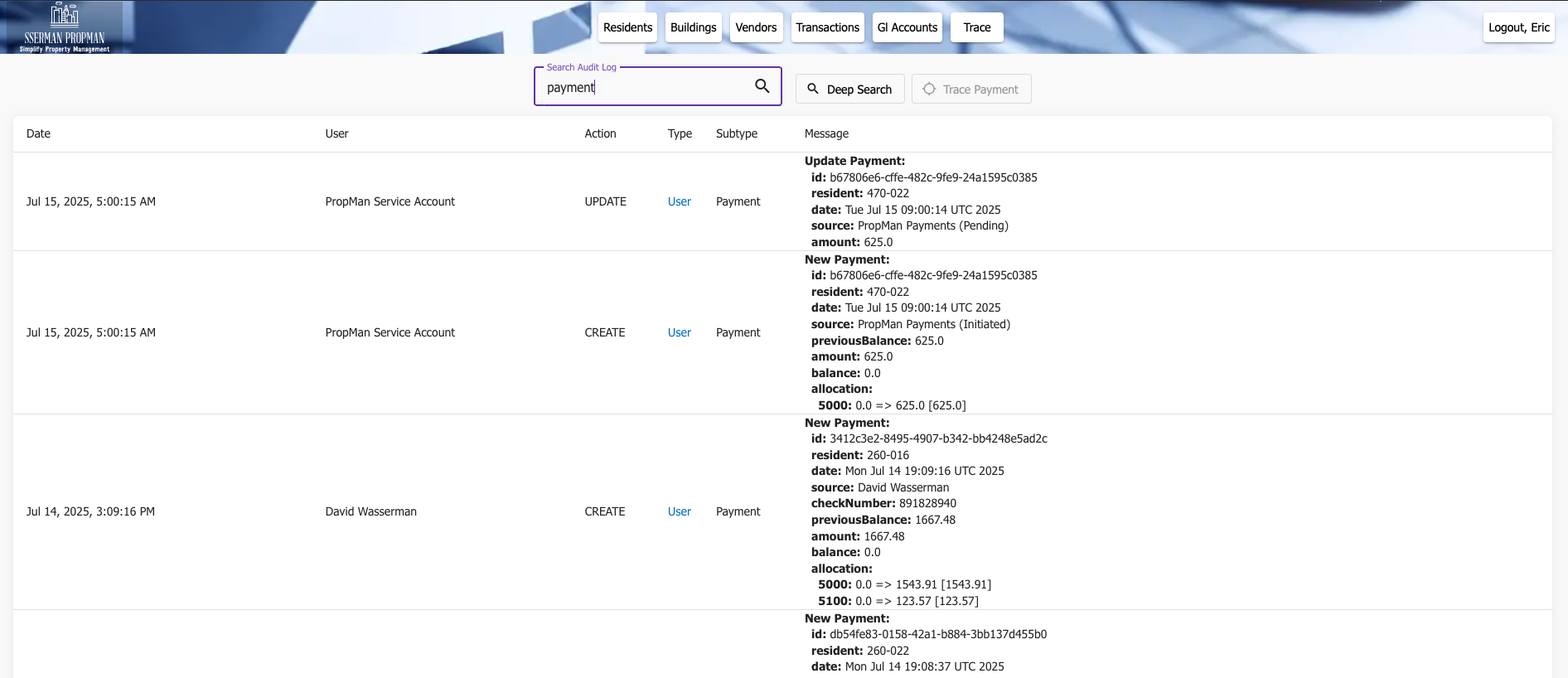
Trace page
Overview
The Trace page enables property managers to:
Track system and Service Account activities
Monitor user actions
Audit financial transactions
Review changes over time
Confirm historical data integrity
This type of information is important to confirm historical data integrity and to ensure that the system is being used correctly.
Sometimes the ordering of specific system events is unclear, and the Trace page provides a way to review the history on a timeline.
Users on both the Management and Resident side can make claims about something they did or did not do. Trace can be used to verify the validity of the claim.
Activity Tracking
The system tracks various types of activities:
Any Entity being created, updated, or deleted
Financial Transactions
Data Modifications
System Changes
Note
All activities are timestamped and associated with specific users.
The most recent activities are displayed at the top of the page, and the search bar at the top of the page can be used to filter the activities by user, action, type, subtype, or message.
Deep Search
If no activities are found in recent history, the Deep Search button can be used to search for activities that occurred further in the past.
Trace Payment
If a Resident Payment is entered into the system and allocated to the wrong account, the Trace page can be used to find the Payment and make appropriate corrections.

Trace Payment
Enter the Check Number in the Filter box
Click the Deep Search button
The list of Payments with the same Check Number will be displayed
Audit Trail
Fields for reviewing system activities:
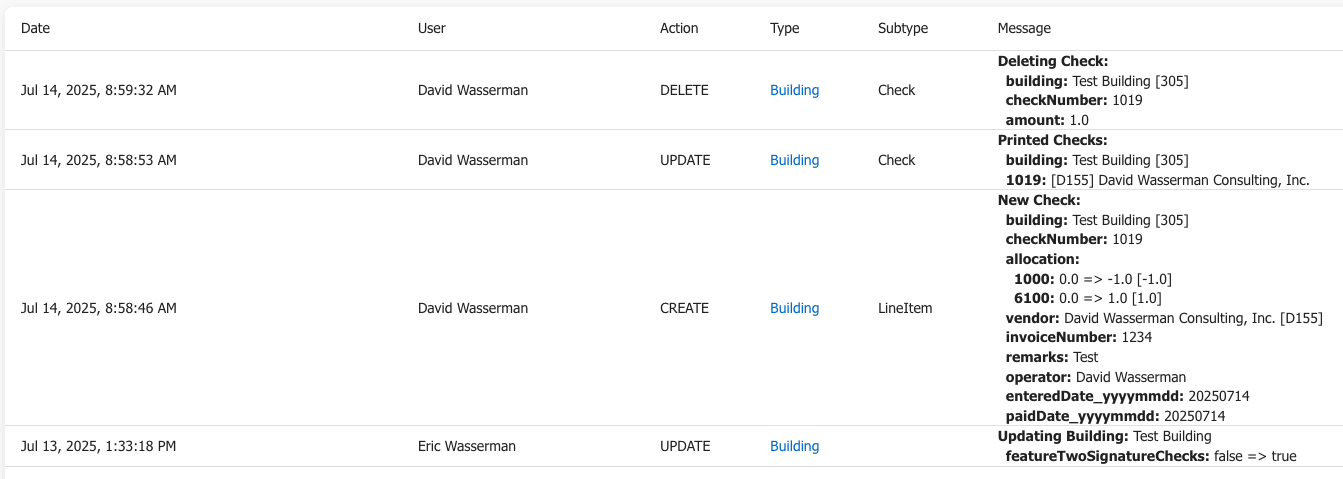
Trace Fields
Date - The date and time of the activity
User - The user who performed the activity
Action - A CRUD (Create, Read, Update, Delete) action performed on the system
Type - The Entity being acted upon (e.g. Building, User, Vendor, etc.)
Subtype - The subtype of activity (e.g. Check, LineItem, Payment, etc.)
Message - The detailed message associated with the activity
Security
Trace features support security and compliance:
Activity Monitoring
Compliance Tracking
Security Auditing
Access Control
Data Protection
Note
Trace capabilities are essential for maintaining system security and compliance with regulatory requirements.